Archiving a fantasy league’s past seasons means pulling each completed season out of the platform while it is still visible, saving it somewhere you control, and writing down the league ID so you can find the original again. On most platforms that is League settings or League menu → Previous Leagues → the season you want. Then export, screenshot, and back it up twice. Budget about an hour for the first season you dig up, then ten minutes per season after that.
The reason to hurry is that nothing is permanent inside these apps. Most interfaces only surface a rolling handful of recent seasons, and platforms retire products without much warning. The old NFL Fantasy app is the clearest example: it was shut down and folded into ESPN, and managers discovered the seasons could still be viewed but could not be renewed the way they used to be. A decade of league history can age out of a menu while you were on vacation.
This guide covers the whole job: finding a league you cannot see, saving each season’s standings, rosters, drafts, matchups and transactions, and then turning that pile of files into an all-time record book you will still understand in ten years. Menu names come from the current web and mobile apps as of October 2026; platform redesigns change labels more often than they change what the data can do.
Table of Contents
- What You Need to Archive a Fantasy League’s Past Seasons
- Step-by-Step: A Practical Archiving Routine
- 1. Create a Folder Per Season and Record the League ID
- 2. Export the Final Standings and League Settings
- 3. Save the Final Rosters and Draft Results
- 4. Preserve Weekly Matchups and Playoff Results
- 5. Record Trades, Waiver Moves, and Adds and Drops
- 6. Take Screenshots of Pages That Cannot Be Exported
- 7. Name, Back Up, and Test the Archive
- What Each Platform’s Archive Actually Contains
- Common Mistakes When You Archive a Fantasy League’s Past Seasons
- Waiting until the platform drops the season
- Assuming one platform holds everything
- Saving screenshots without labels
- Forgetting the league settings
- Storing everything in one place
- Mixing regular season and playoff records
- Frequently Asked Questions
- How do I see previous seasons of fantasy football?
- Can you look at previous years on ESPN fantasy football?
- How do I see previous league winners in Yahoo Fantasy?
- Why can’t I see my fantasy league on ESPN?
- Where can I find historical fantasy football data?
- Conclusion
What You Need to Archive a Fantasy League’s Past Seasons
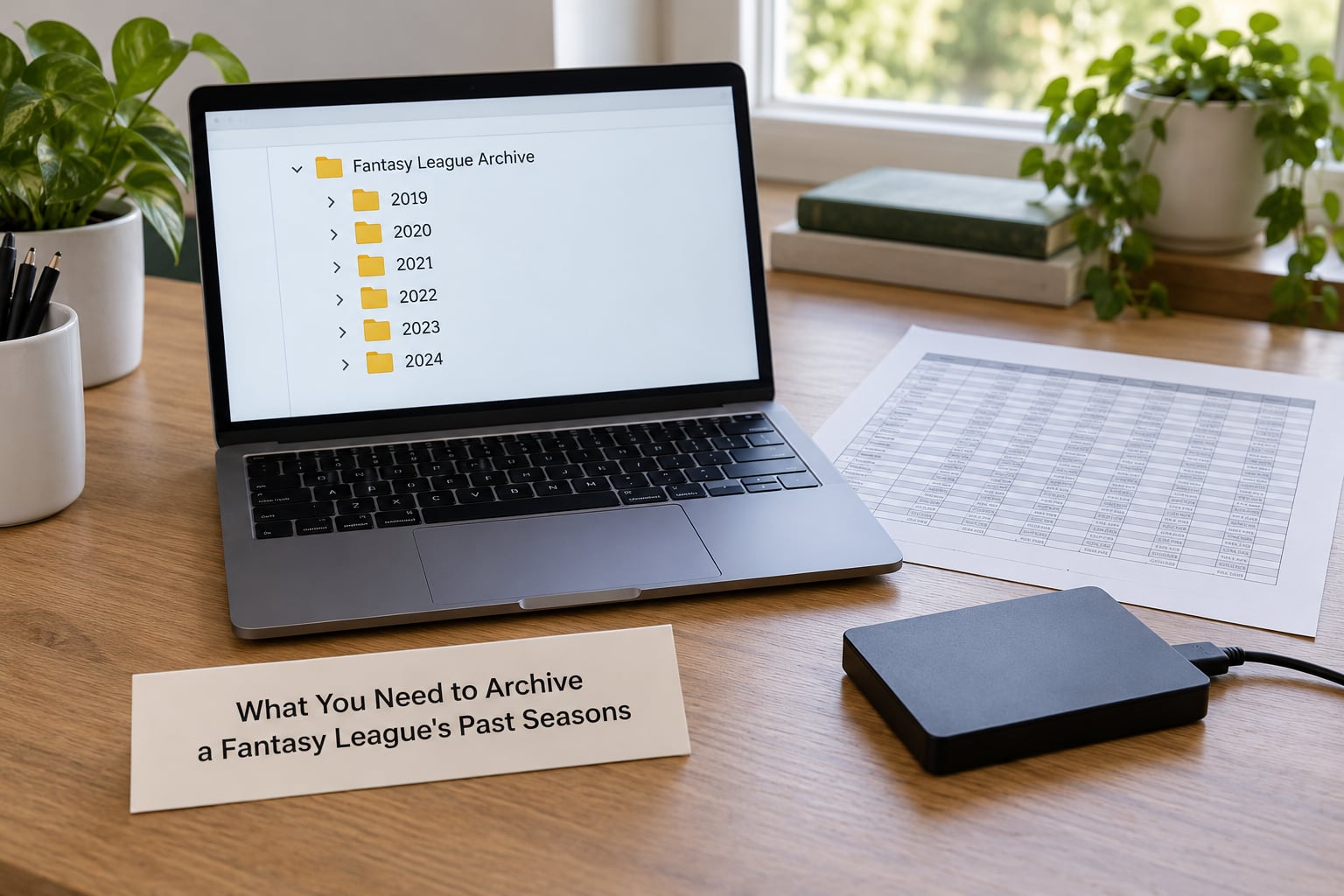
You need five things, and none of them are expensive. The point of this list is that the archive lives outside the platform, not inside it.
- Access to the original account. Leagues are tied to the login that created them. If your email changed and you re-created the account, your old leagues do not migrate with it, so sign in with the oldest address you still control before you assume anything is gone.
- The league ID and the league URL. The URL ends with a numeric league ID. That number is the single most important thing to save, because it lets you rebuild a direct link even if the menu navigation moves. Write it down before you browse anything else.
- Two storage locations. One local folder on a drive or laptop, one cloud folder. A single copy on the machine you are using right now is not a backup.
- A spreadsheet and a folder structure. One folder per season, named consistently, plus a master index sheet that links each season to its files.
- A screenshot tool. Phones and laptops all have one built in. Screenshots are the fallback for pages with no download option at all.
Add a plain text file called README to each season folder. League name, platform, league ID, scoring format, manager names, start and end dates, and where the original file came from. Future you will not remember which of the four screenshots was the final bracket.
Step-by-Step: A Practical Archiving Routine
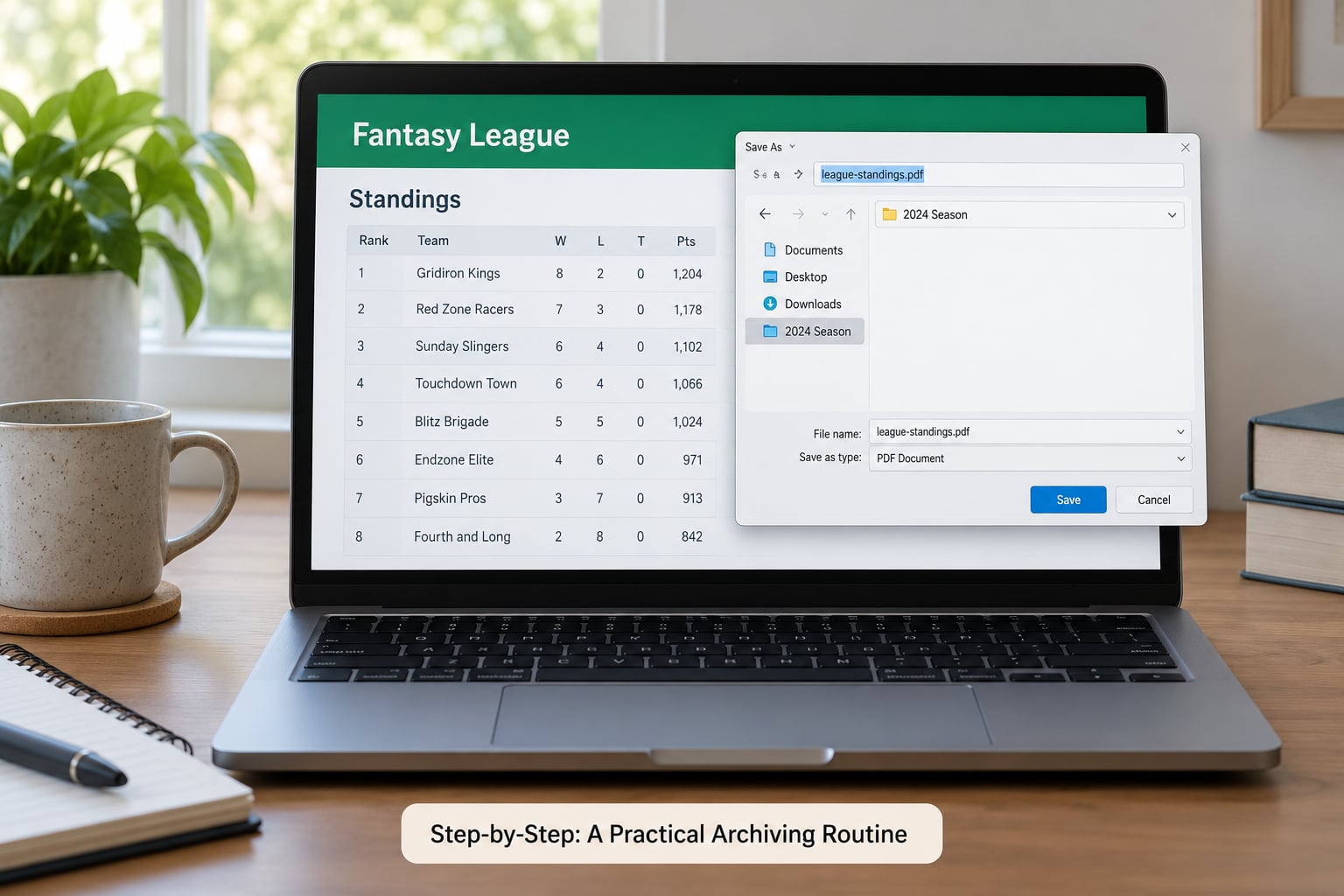
Work one season at a time from oldest to newest. Oldest first because older seasons are the ones most likely to be near the edge of the retention window, and because building oldest to newest makes it easy to see when your league got renamed or restarted.
1. Create a Folder Per Season and Record the League ID
Open a folder named for the season and the platform, then write down six facts before you browse anything: league name, platform, league ID, scoring format, the managers involved, and the start and end dates.
Where the league ID lives depends on the platform. On ESPN it is in the URL after /league/ and in League settings. On Yahoo it is in the URL as a numeric string and is visible in the league’s edit settings. Sleeper shares a short league code and a long numeric league ID, and both appear on the league settings page. Fantrax, CBS and MyFantasyLeague all expose a numeric league ID in the URL or in league settings.
Then figure out whether the season belongs to a chain of renewed leagues or to a league that was recreated from scratch. A renewed league keeps the same identity and links each season to the last, so previous seasons appear as one continuous history. A recreated league gets a brand-new league ID, which is the single most common reason a manager thinks their history vanished.
You can tell them apart: if the earlier season opens from a Previous Leagues list inside the current league, it was renewed. If you had to search for it separately under your account, it was recreated. Record which one it is in your README file.
2. Export the Final Standings and League Settings
Save the final standings page and a written note of the settings, because settings are the part of an archive that quietly disappears first.
On ESPN, open the league, go to League settings, and use the export scoreboard or league settings export option that generates a file. On Yahoo, open the league, then League settings → Stat corrections and history, and download what is available from the league records view. Sleeper keeps previous seasons behind the League tab → Previous Leagues, where each past season opens as its own read-only view.
Write down the things a screenshot will not capture in a readable form: scoring format, roster limits, number of teams, playoff structure, waiver rules, tiebreakers, and the trade deadline. Those settings explain why a 9-5 season felt strange, and without them your all-time standings are just numbers.
3. Save the Final Rosters and Draft Results
Capture every team’s final roster and the draft board before you leave the season, because roster and draft detail is usually the first thing a platform stops showing.
Old archives commonly expose final standings and scores while quietly dropping lineups, transactions, and draft detail. That is why the draft is worth doing on the day it happens rather than three years later. Export the draft results or draft board where the platform offers it, and take a full-page screenshot if it does not.
Record the draft order, every pick with the player name, and any substitutions or manual edits the commissioner made. If your league uses a live draft tool outside the platform, save that tool’s own export too, since it is the only place the pick-by-pick detail may exist.
4. Preserve Weekly Matchups and Playoff Results
Save the weekly scoreboard and the playoff bracket as a single readable table per season, with regular season and postseason results kept in separate columns.
Weekly results matter more than people expect. They are what settles the group-chat argument about who actually beat whom, and they are the raw material for scoring highs, most surprising pickup, and closest matchup. On ESPN the scoreboard for a past season is reachable from the league’s history view; Yahoo exposes a broader league records view than it used to, which covers most of what happened in previous seasons; Sleeper keeps matchups inside each past season view.
Split your table into regular season and playoffs before you save it. Mixing them is what produces nonsense all-time records later, and it makes the difference between a manager who went 8-8 and one who went 9-7 with a playoff loss impossible to see.
5. Record Trades, Waiver Moves, and Adds and Drops
Capture the transaction history, because it is the only place that shows how a roster actually got built.
On Sleeper, open the past season, go to the League tab, and use View All under Recent Activity to reach transactions from that season. ESPN and Yahoo expose a news or activity feed per season, and Fantrax and CBS keep a transaction log that can be viewed by season. Save the page as a file where possible, and screenshot it where not.
Log the date, both teams or both owners involved, and the players who changed hands. Waiver claims and drops are easy to skip and later impossible to reconstruct, so include them. A trade you want to look up three years from now is exactly the one you did not save.
6. Take Screenshots of Pages That Cannot Be Exported
When a page has no download option, capture the full page rather than the visible window, and make sure the season and date are visible in the screenshot itself.
Full-page capture matters because a cropped screenshot of a standings table has no year on it. Include the league name and season in the capture, or open the image once and check that a stranger could tell which season it is.
Screenshot in this order: final standings, each team’s roster, the playoff bracket, the draft board, and the transaction feed. Name files with a consistent pattern such as season-standings.png and season-roster-teamname.png so sorting works later.
7. Name, Back Up, and Test the Archive
Standardize file names, copy the finished season folder to a second location, and open three random files to confirm they load.
Consistent naming is what makes the archive usable rather than merely existing. A pattern like platform-season-type-detail sorts correctly in every file browser. Then duplicate the folder into cloud storage, and open a couple of images and a spreadsheet from the copy to confirm the backup is not empty or corrupt.
Finish with an index: one row per season with columns for platform, league ID, original URL, champion, final record, file folder, and any detail you know is missing. An archive with an index is a record book. A folder of screenshots is just a pile.
What Each Platform’s Archive Actually Contains
Platforms differ more than most guides admit, so it helps to know what you are likely to get before you promise a friend you will send the full history.
| Platform | Where past seasons live | Export options | What usually survives |
|---|---|---|---|
| ESPN Fantasy | League settings → Previous Leagues | Export scoreboard and settings files; community API libraries for deeper pulls | Standings, matchups, playoffs, often draft and roster detail for recent seasons |
| Yahoo Fantasy | League settings → Stat corrections and history; league records view | Data download options plus a developer API with its own request limits | Broad season-by-season records, rosters, transactions on recent seasons |
| Sleeper | League tab → Previous Leagues, then League → View All under Recent Activity | Public read-only API that needs no login for lookups; native import options | Seasons, matchups, transactions, rosters within the retention window |
| NFL Fantasy app (discontinued) | Archived after the app was folded into ESPN | Limited; seasons can be viewed but no longer renewed as before | Whatever ESPN now exposes for imported seasons |
| Fantrax | League → History and past-season views | Reports and exports built for custom scoring setups | Detailed history tuned for custom and dynasty formats |
| CBS Sports Fantasy | League → History, plus prior-season access | Standings and history exports | Standings, rosters, transactions for retained seasons |
| MyFantasyLeague | League → Past Leagues listing | Text and commissioner-level exports, stronger on older custom leagues | Long-running custom league history with manual record fields |
| Fantasy Premier League | Manager history and gameweek history pages | Limited; gameweek history is browser-facing rather than file export | Gameweek-by-gameweek results and prior season tables |
A missing detail is not a missing season. Plenty of archives give you final standings and scores but drop lineups, waiver activity, and draft boards for anything but the most recent seasons. Treat that as partial coverage, write it in your index, and stop hunting for what is not going to appear.
Common Mistakes When You Archive a Fantasy League’s Past Seasons
Almost every archiving problem comes from one of six habits, and each has a simple correction.
Waiting until the platform drops the season
The oldest seasons are the most fragile, and waiting means the interface decides when you lose access. Export the current season’s standings, rosters, and draft board in the week after your championship game, while everything is still on screen. Ten minutes in September is far cheaper than a search that returns nothing in November.
Assuming one platform holds everything
Managers with a long history often have pieces spread across ESPN, Yahoo, CBS, and Sleeper, and there is no single cross-platform view anywhere. Keep one archive folder per platform under one master folder, so your history lives in one place even though it came from four.
Saving screenshots without labels
An unlabeled screenshot because a file named after the date you pressed the screenshot button tells you nothing two seasons later. Name every file with the season and the page type, and keep the season visible inside the capture.
Forgetting the league settings
Standings without rules are unreadable. Save the scoring format, roster limits, playoff structure, and tiebreakers in plain text alongside the files, since settings pages change more often than results pages do.
Storing everything in one place
One local copy is one hard drive failure away from gone. Duplicate the archive into cloud storage on the same day, and open a file from the duplicate to confirm it is really there.
Mixing regular season and playoff records
This is the mistake that quietly corrupts all-time standings. Decide on a counting rule and write it down. The common choice is to count regular season games toward win-loss records and list playoff and consolation results separately, which is what most league magazines do.
One more habit worth building: keep franchise identity consistent. If a team was renamed, record both names and the season of the change, then treat it as one franchise in your all-time table. A worked example, say a franchise that went 8-6 in one season under its old name and 9-5 the next under a new one, is recorded as 17-11 across both.
A note on tools, since managers ask about this constantly. Community projects such as nflverse publish play-by-play and historical data that help reconstruct draft results and player stats, and Pro Football Reference is the usual fallback for historical statistics when a platform no longer exposes them. Reconstructed numbers are useful and clearly labeled as reconstruction. They are not the same as an imported record, and treating a manually typed champion as equivalent to imported matchup data is how all-time records get quietly wrong.
Frequently Asked Questions
How do I see previous seasons of fantasy football?
Open the league and go to League settings or the League menu, then choose Previous Leagues and pick the season you want. On Yahoo the equivalent is League settings and Stat corrections and history. If the list stops at a year you remember, the season was likely a separate recreated league with its own league ID, so search your account for it directly.
Can you look at previous years on ESPN fantasy football?
Yes, for the seasons ESPN still surfaces. Go to League settings and open Previous Leagues to browse past seasons, and use the export scoreboard option to save standings and matchup data as files. Older seasons commonly keep final standings and playoff results but drop lineups and transaction detail, so export or screenshot what you can while it still appears in the menu.
How do I see previous league winners in Yahoo Fantasy?
Open the league and go to League settings, then Stat corrections and history, where the league records view lists past seasons, champions, and final standings. Yahoo has broadened this view in recent years, and most managers report seeing far more of each past season than they used to. Still save your own copy, because the menu only covers a rolling window of recent seasons.
Why can’t I see my fantasy league on ESPN?
Four causes cover nearly every case. You are signed into a different account than the one that created the league, the league was recreated and has a different league ID, the league is private and you were removed as a member, or the season aged out of the rolling window. Start by signing into your oldest email, then search by league ID from the URL of any old screenshot or message.
Where can I find historical fantasy football data?
Start with the platform itself using the export options in league settings. Beyond that, Sleeper offers a public read-only API that needs no login for lookups, Yahoo has a developer API with request limits, and community libraries and open data projects such as nflverse and Pro Football Reference can fill gaps in draft results and player statistics. Label anything you rebuild as reconstructed, not imported.
Conclusion
Start today, not next season. Make one folder for the current year, save the final standings page and a note of your league settings, and write the league ID into a README file. Then repeat it the week after your league’s last game, so the next season’s archive is already half finished before anything ages out. Ten minutes on a Sunday beats an afternoon of searching for a league that no longer appears in the menu.